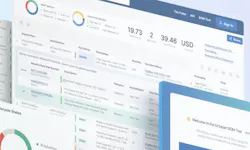
Pulse Sep 15, 2025 Once inside, you can: Upload an existing file from your computer Create a new BOM from scratch Add parts directly from Octopart search results Your company has an approved vendor list You rely on certain distributors for credit terms You want sourcing suggestions tailored to your organization By saving these preferences, BOM Tool ensures its results align with your sourcing strategy. Read each line item Pull in available offers from distributors Even if the BOM contains outdated or incomplete part numbers, the tool suggests close matches so you can quickly fill gaps. BOM Tool makes it easy to spot potential issues: Summary view: See counts of exact matches, similar matches, and missing parts. Color codes: Red and green lines indicate lifecycle status (e.g., discontinued parts). Filters: Narrow results by distributor, availability, or exact matches with one click. You can flag sourcing risks early and adjust before manufacturing bottlenecks occur. Identify the missing or outdated part. Copy its description. Paste it into the corresponding Matched Part Number field. Refine description if needed. Select the replacement. The system instantly updates the BOM with current offers, prices, and distributor information. No extra copy-paste work required. This first walkthrough showed how to upload BOMs, identify issues, and replace parts with ease. Don't Forget To Share This Article Read More Articles